Pretty fzf in fish shell
This article assumes that you use fish shell and are familiar with fzf. You should be able to trivially replicate it in any other shell of your choice.
Instead of introduction, let's just see these two screenshots:
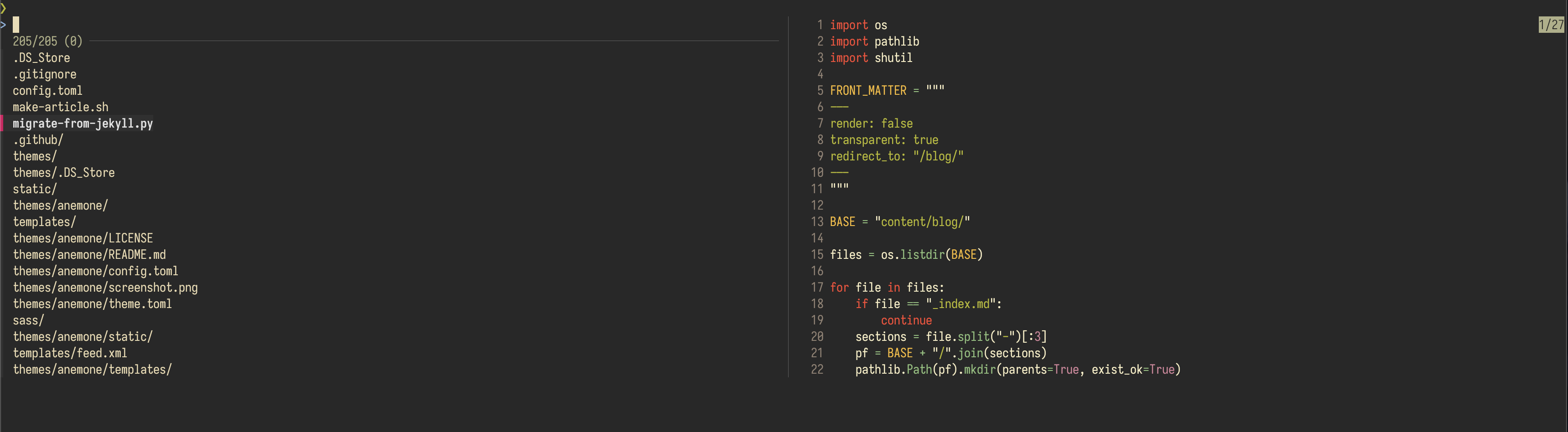
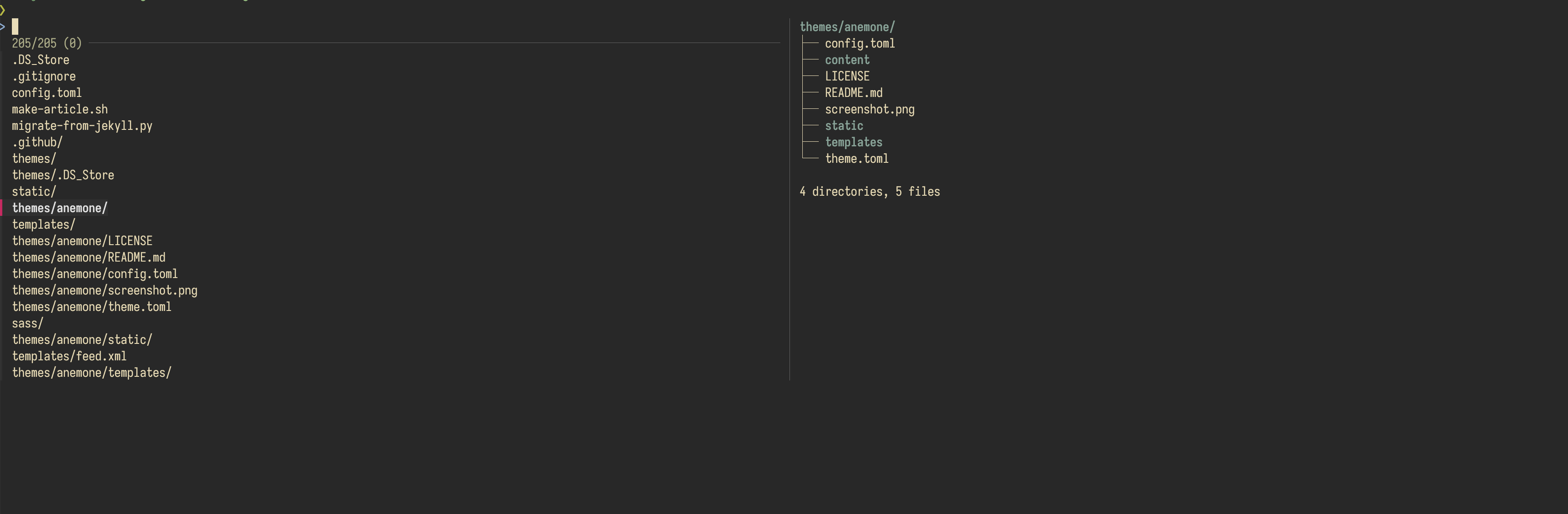
Pretty, right? Let's see how it's done.
First, the previews. I use bat and tree for displaying the file contents and the directory tree respectively. One potential area of improvement is showing images via imgcat, which I tried and found it a bit tedious to configure. Not that I need it that much anyways.
The configuration for fzf looks like this:
# Remove scrollbar, I don't really like it anyway.
set -gx FZF_DEFAULT_OPTS "--no-scrollbar"
# Skip the directories I don't want to see in fzf output. Set the preview command. Configure the preview
# window to my liking: make it take half of the screen and leave only the left border.
set -gx FZF_CTRL_T_OPTS "--walker-skip .git,node_modules,target,.venv,.ruff_cache --preview 'fzf_preview {}' --preview-window=right:50%:border-left"
Now, for the preview command, which is defined as a fish function:
# This function takes the filename as it's only argument.
function fzf_preview -a "filename"
    # Take the file information:
    # --brief removes all the extra formatting, we will end up with just the MIME type in the output.
    # --dereference makes it follow the symlinks.
    # --mime-type makes it output the MIME type of the filesystem object (e.g. text/plain).
    set -l mimetype "$(file --brief --dereference --mime-type "$filename")"
    switch "$mimetype"
        case "*directory*"
            # display the tree in case the selected object is a directory: -C forces colors, -L restrict the tree depth to 1.
            tree -C -L 1 "$filename"
        case "*"
            # Otherwise use bat. Enable line numbers and force colors as well.
            bat -n --color always "$filename"
    end
end